Skip to content
AI Field Notes
Field news

AI filmmaking news & finds.

Cut notes: dated AI filmmaking news on what shipped that changes a cut. Selective, but there is usually something worth reading most days. Lasting craft and process guides live on Workflows. Each card names the writer and leaves the article where they published it. New model releases get one dated line each on Model drops, and the official model and tool links are on Models & tools.

Interested in a post? Select any cards, then Email to send the links to yourself. (We don't capture addresses.)

Subscribe by feed: RSS · Atom. No inbox capture.

27
Notes
12 Nov 2026
Newest note
Subject
Month

14 notes
G
Google Flow hero image: rows of enamel badges with film icons such as a clapperboard, film reel, camera and director's chair
tools
Google Labs

Google Flow adds five artist-built tools, including Pocket Studio for multi-angle phone takes

Google released five new tools in Google Flow, its AI creative studio, on 12 Nov 2026, each built by a working artist or filmmaker. Pocket Studio, by previs and VFX artist Ryan McCoy, takes a single phone take and generates multiple camera angles at higher visual fidelity while keeping the actor's original performance. Character Arc, by Anurag Tiwari, shows the same character at different ages without losing their core look; he is using it to trace a documentary subject from childhood to adulthood. Pixel Machine turns images into bitmap, ASCII, CRT, pixel art and glitch styles for titles, transitions and music videos, Lucid Glass simulates prisms, halos and refractions, and James Gerde's Character Poster turns a story idea into a styled poster. Google says you can also build your own tools in Flow.

google google-flow google-labs previs characters effects
Read source ↗

Our note, dated and linked →

M
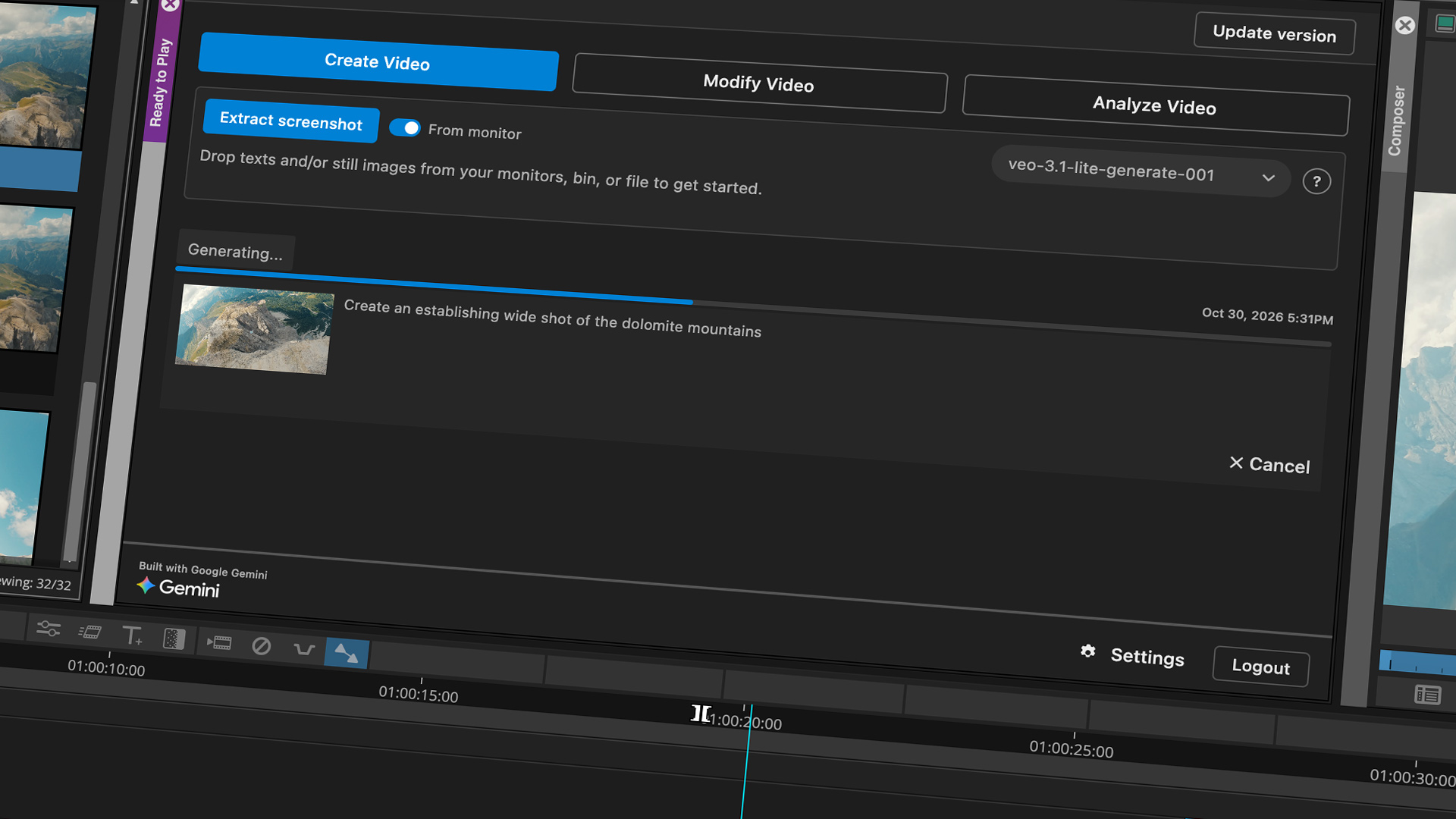
Avid press image: the Ready to Play panel in Media Composer, with Create Video, Modify Video and Analyze Video tabs over a mountain clip in the timeline
tools
Avid

Media Composer gets Ready to Play: Veo and Gemini clips straight into your bin

Avid announced Ready to Play on 10 Nov 2026, an optional extension for Media Composer Ultimate and Enterprise (version 2026.8 and later) built with Google’s Gemini and Veo models. It adds three workflows inside the edit. Create Video makes a clip from a text prompt or a still pulled from your sequence and drops it into a bin, for temp B-roll, previs or a placeholder while VFX are still in progress. Modify Video tries a prompted change, such as removing a boom mic, as a new clip and leaves the original untouched. Analyze Video writes descriptions into clip metadata so unlogged footage is easier to find. Avid charges nothing extra, but Google bills your usage through your own Google Cloud account, and it is not available on Media Composer Standard or First.

avid media-composer veo gemini google editing previs
Read source ↗

Our note, dated and linked →

P
Adobe MAX 2026 press image: portrait of a woman wearing a crown of metallic orchids against a red background
tools
Adobe

Premiere and After Effects get Adobe's Creative Agent, with outside AI agents to follow in 2027

Adobe announced at Adobe MAX on 10 Nov 2026 that its Creative Agent, the system behind its AI Assistants, now runs in Premiere, After Effects, Illustrator, InDesign and Frame.io; Adobe's availability note lists those assistants as beta. In Premiere it can apply effects across every clip in a sequence, track a masked subject through a shot, and adjust colour and exposure across a whole sequence at once. Adobe also previewed local MCP integrations that let the third-party agents you already use work in Photoshop, Illustrator, Premiere and After Effects project files on your own computer, with layers, bins and sequences left editable so you can take over by hand. That part is not out yet: Adobe says a private beta follows in early 2027.

adobe premiere after-effects creative-agent mcp agents adobe-max
Read source ↗

Our note, dated and linked →

D
Adobe and The Walt Disney Company logos beside an artist sketching a monorail that leaps off his screen as a rendered model
industry
Adobe

Disney names Adobe its AI partner, with Firefly Foundry models trained on its own IP

Adobe announced at Adobe MAX on 9 Nov 2026 a multi-year alliance with The Walt Disney Company, naming Adobe an Official AI Innovation Partner. Disney gets early access to Firefly, Firefly Foundry, Premiere and Photoshop, plus dedicated Adobe engineering and research support for its production pipeline. The core of it is Firefly Foundry: Disney will work with Adobe on proprietary generative models trained on Disney's own characters, environments and visual styles, which Adobe describes as commercially safe and production-ready. Walt Disney Imagineering R&D is already using it, with a sketch-to-image model that turns hand-drawn concepts into rendered 2D concept art and a custom image model for on-brand, franchise-accurate assets. StudioLAB and ESPN Edge are also named for emerging tech work. For filmmakers it is a clear signal of where big rights holders are heading: private models built on their own IP, rather than public ones.

adobe disney firefly firefly-foundry adobe-max custom-models rights
Read source ↗

Our note, dated and linked →

K
Three men wearing event lanyards pose in front of an orange TCCF panel backdrop
industry
Variety

Korean AI filmmakers warn token fees and revisions could outstrip 35mm costs

Variety reports (7 Nov 2026) that Korean AI producers at Taiwan Creative Content Fest in Taipei warned that token fees and repeated revisions could make features costlier than in the 35mm era. Studio Meta-K founder and CEO Kim Kwang-jib estimated that the most expensive commercial tools could already put the token bill for a 100-minute film above KRW500 million ($366,000). He warned that a roughly tenfold token price rise could take that to KRW5 billion ($3.66 million), against typical Korean, Taiwanese and other Asian live-action and VFX budgets of KRW3 billion to KRW5 billion ($2.2 million to $3.66 million). Each re-render costs money: ten changes grouped into one pass mean one additional bill, while the same changes spread across ten days can mean ten paid passes. Lee Sang-wook, head of the AI Content Lab at MBC C&I, said weekly tool changes made budgeting harder. The lab's feature Raphael took around a year and four months, with a single shot sometimes occupying around ten artists for a day. Variety reports that Raphael will open in Korean cinemas on 25 November. Kim favours hybrid productions with live stars and generated crowd scenes for paying audiences for now.

tccf korean-film production-costs studio-meta-k mbc raphael
Read source ↗

Our note, dated and linked →

W
TAICCA chair Sue Wang and Weta FX CEO Daniel Seah at a TCCF podium
industry
Variety

Weta FX CEO: Hollywood flipped on GenAI, from bans to requiring a strategy

Variety reports (5 Nov 2026) that Daniel Seah, CEO of Weta FX, told press in Taipei that Hollywood clients have gone from banning generative AI to requiring an AI strategy. Early last year studio legal departments barred GenAI on their work; by mid-year several clients allowed it with pre-approval; around the turn of the year they asked about cost savings; and since the third quarter of 2026 the line, in Seah's words, has been: "If you don't have an AI strategy, don't bother to work with us." That shift led Weta to partner with Taiwanese animation and VFX outfit Moonshine Studio (about six months) and to sign with Taiwan's TAICCA at Taiwan Creative Content Fest. Seah said Weta has no intention of using AI to replace artists. CTO Kimball Thurston said Weta is building its own world-modifying models, uses Kling AI and ByteDance's Seedance where clients permit, and runs an open-source project, the Rongotai Model Train Club, that writes model use into image metadata. TAICCA and Taiwan's Ministry of Culture will identify young talent for possible Weta internships; Seah said Weta is likely to open a representative office in London.

weta hollywood genai vfx moonshine taicca kling seedance
Read source ↗

Our note, dated and linked →

G
Promotional still of Grimes in Fable's AI anthology Gods Don't Give Gifts
festivals
The Verge

Grimes to appear in AI anthology Gods Don't Give Gifts, in theatres 4 December

The Verge reports that Grimes will appear in Gods Don't Give Gifts, an AI-generated sci-fi anthology produced by Fable and directed under the online handle Gossip Goblin (Variety names him Zack London). She is lending both her likeness and a spoken vocal performance; Variety adds that she plays Zaynith Alda and recorded lines from home. The Verge and Fable have billed it as the first AI film to come to theatres; AFN notes China's Sanxingdui: Future Past already took a wide release with reported box office in late October. US theatrical date: 4 December 2026. Variety also notes the film is R-rated, that Fable CEO Edward Saatchi is positioning it for awards consideration, and that Fable has been screening for Academy animation voters ahead of the debut.

grimes theatrical fable anthology gossip-goblin
Read source ↗

Our note, dated and linked →

P
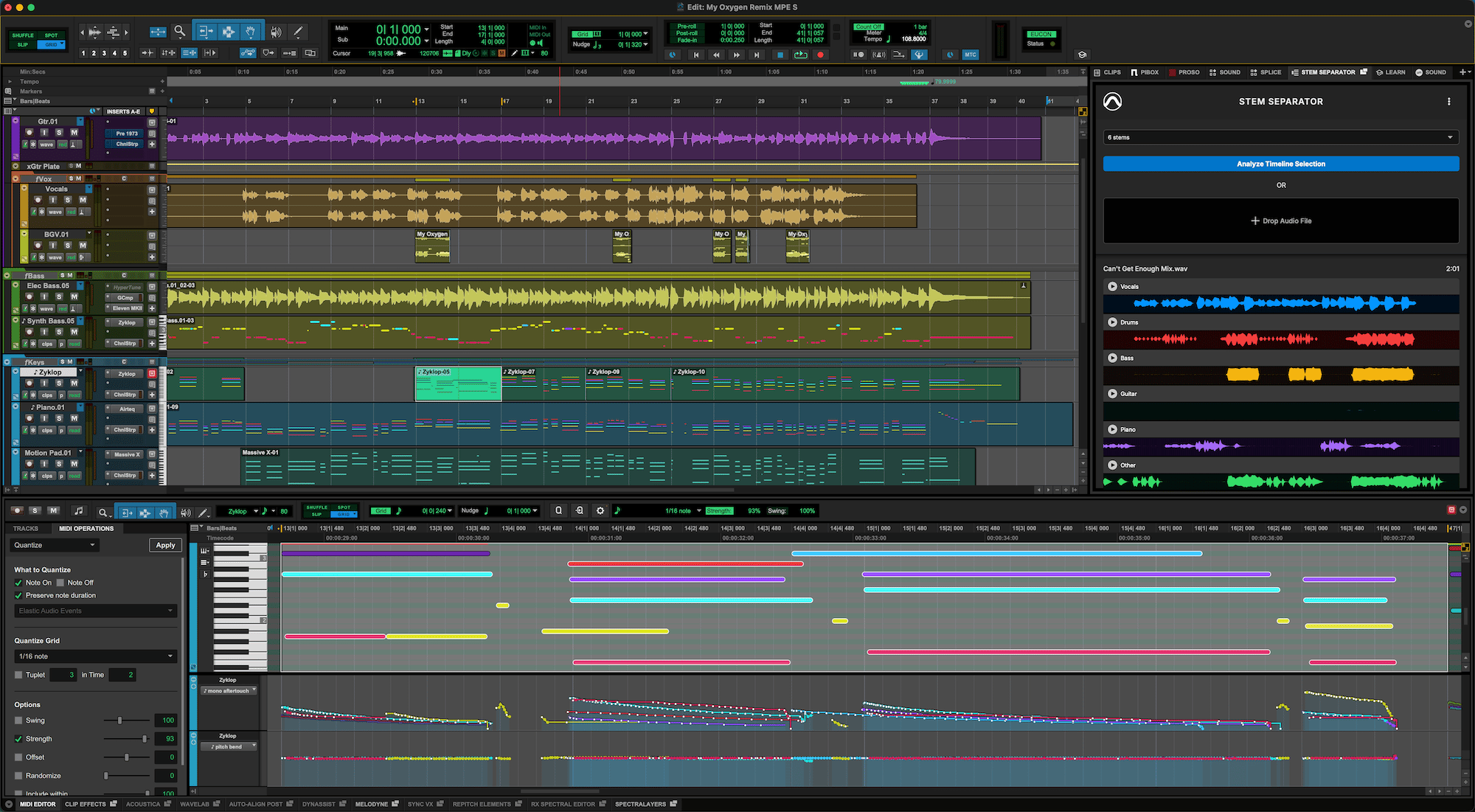
Pro Tools Edit window with the Stem Separator Extension open beside a multitrack session
tools
Avid

Pro Tools 2026.11: Stem Separator and Extensions stay in the session

Avid's Pro Tools 2026.11, announced 5 Nov 2026, puts an AI Stem Separator inside the app as an Extension. Drag a mix in, preview up to six stems (vocals, drums, bass, guitar, keys and other), and drop them back as tracks without a cloud round trip. Extensions also open session-wide tools from partners such as Pro Sound Effects, Soundly, Forte and Pibox, and Splice and SoundFlow move into the same menu. MPE MIDI expression and Windows High DPI arrive in the same release. The Stem Separator is free with every Pro Tools tier, including Intro.

avid pro-tools stem-separator audio extensions post
Read source ↗

Our note, dated and linked →

P
Premiere's Generative Remove dialog confirming a removal that uses 400 credits
tools
Adobe

Premiere beta: Generative Remove for boom mics, stands and other distractions

Adobe put Generative Remove into Premiere (beta) on 4 Nov 2026. You mask and track an unwanted object on the timeline, choose Remove, and the fill runs in the cloud while you keep cutting. Only the masked area changes; the original clip stays available so you can generate again or revert, and several masks can go in one pass. Adobe's help pages set the beta limits: 480p to 1080p SDR, up to 30 fps, clips up to ten seconds, and 40 generative credits per second of footage. Team Projects are not supported; Productions are. HDR and 10-bit footage are out for now.

adobe premiere generative-remove beta cleanup masking
Read source ↗

Our note, dated and linked →

i
Photon app window showing a colour-coded stem waveform on a green background
tools
iZotope

iZotope Photon: local stem splits and dialogue clean-up straight from video

iZotope's Photon, announced 3 Nov 2026, is a standalone app and ARA2 plugin that splits finished audio or video into stems and cleans noisy dialogue, with its 12 models running locally on your GPU. For edit suites the useful part is video in and out: drop in an MP4, MOV, MXF or ProRes file, run Cinema 4 Stems to pull voice, music, effects and everything else apart, then export a new file with the picture untouched. iZotope pitches it for swapping music when a licence runs out, pulling quotes and preparing foreign-language versions. Voice Separator splits up to six overlapping speakers, and Voice Restore handles noise, levels and echo. Inside ARA2 hosts such as Pro Tools, REAPER and Cubase it works on the whole clip. The regular price is $349, or $19 a month, and it needs an Apple silicon Mac or a Windows PC with a 4 GB GPU.

izotope photon stem-separation dialogue audio-post ara
Read source ↗

Our note, dated and linked →

P
The Adobe wordmark above the Universal Music Group and Warner Music Group logos on a red and purple gradient
music
Adobe

Premiere mobile adds licensed UMG and Warner music, for personal use only

Adobe announced on 3 Nov 2026 that Premiere mobile will soon carry licensed clips from Universal Music Group and Warner Music Group. You will be able to search and preview tracks by artist, filter by genre and length, and drop up to 60 seconds of a song straight into an edit, with templates already paired to music. The catch is the licence. Adobe says these tracks are cleared for personal, non-commercial use and posting to licensed social platforms, so client work and anything you sell still needs Adobe Stock Audio or music you have cleared yourself. No date beyond coming soon, and no word yet on Premiere Pro.

adobe premiere-mobile music-licensing umg warner-music rights
Read source ↗

Our note, dated and linked →

D
Descript editor UI promoting Generative Layouts, Search and Underlord Skills
tools
Descript

Descript: Generative Layouts, drive-wide Search and Underlord Skills

Descript's 3 Nov 2026 post groups three shipping updates that keep more of a cut inside one editor. Generative Layouts builds an on-brand pack from your logos, colours and guidelines, then Underlord can style a whole video or a single scene. Drive-wide Search finds clips and spoken moments across projects, including through Underlord, MCP or the API, with visual search on Enterprise. Underlord Skills lets you save a finished edit pattern and reuse it, with about ten Descript-made skills to start. Animate Text (kinetic type from a script selection) is listed as coming soon.

descript layouts search underlord skills editing
Read source ↗

Our note, dated and linked →

O
OpusClip Auto-edit interface showing a talking-head timeline with captions and B-roll options
tools
OpusClip

OpusClip 4.0: auto-edit from a raw talking take

OpusClip's CEO post dated 2 Nov 2026 (schema also stamps 1 Nov) moves the product past clipping finished films. Version 4.0 adds Auto-edit for talking videos: drop in raw footage or a link, switch on speech cleanup, captions, B-roll and related passes, and get a finished cut back. One edit can fan out into short highlights, a longer cut or a lo-fi update. Recipes save a repeat setup, Viral Hook and Motion Graphics dress the open and on-screen points, and an AI Producer plugin runs from ChatGPT or Claude. Clipping stays; the edit is the new centre.

opusclip auto-edit captions b-roll recipes social
Read source ↗

Our note, dated and linked →

E
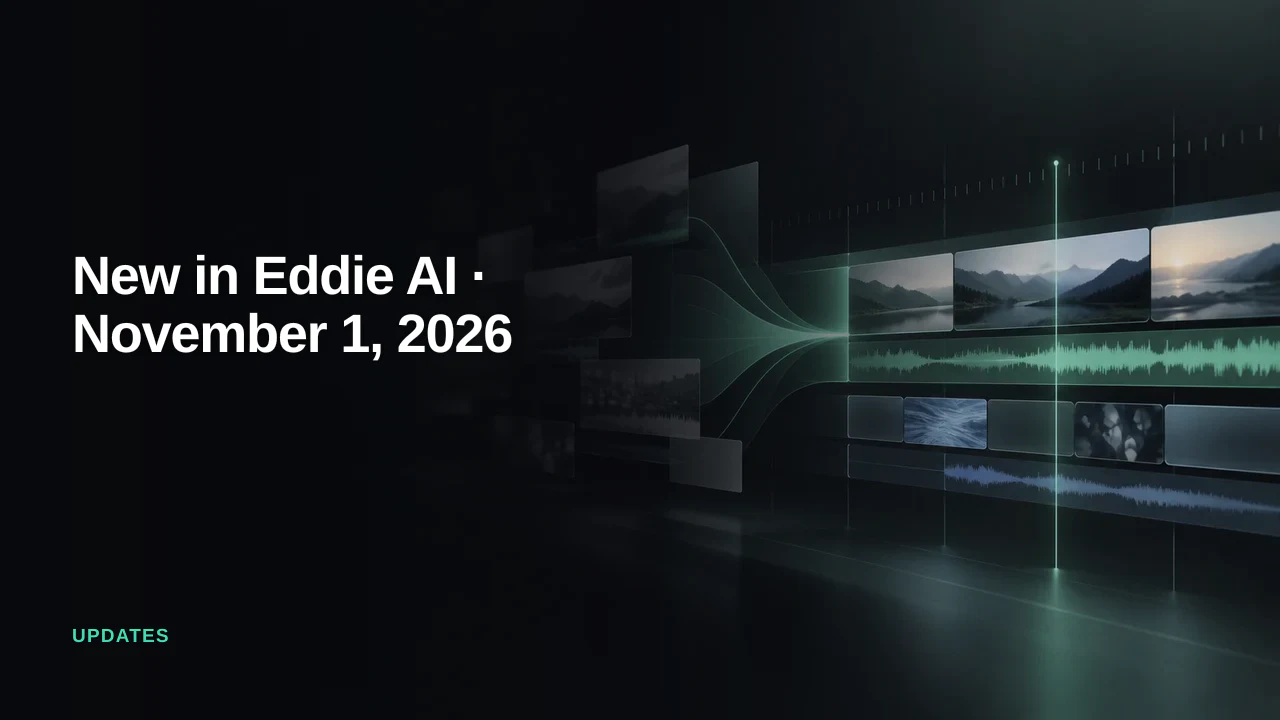
Film frames of mountains and a lake on a glowing green timeline, beside the words New in Eddie AI, November 1, 2026
tools
Eddie AI

Eddie AI: motion graphics travel to your editor, plus your own LUTs

Eddie AI's update for the week of 1 Nov 2026. An edit downloaded as a Premiere, Final Cut or Resolve project now brings its motion graphics with it, each as a transparent ProRes 4444 clip on its own track at its place in the cut. You can also load your own .cube LUT, trim a cut point one frame at a time with the arrow keys, and have Eddie's comments arrive as markers that span their stretch of the timeline.

eddie-ai editing grading host-app-round-trip
Read source ↗

Our note, dated and linked →

9 notes
S
Trailer still from the AI feature Sanxingdui: Future Past (THR image caption uses Future Memories)
festivals
The Hollywood Reporter

Sanxingdui: Future Past flops at the Chinese box office

The Hollywood Reporter (James Hibberd, 29 Oct 2026) reports that Sanxingdui: Future Past, described there as China's first fully AI-generated movie to get a wide theatrical release with reported box office, opened soft the week before. Estimated gross about $198,000 (AFP via THR), on 10,000-plus opening-day screenings, with early ticket sales around 12 percent of a 10 million yuan budget (about $1.5 million). Production company Bona Film Group; CEO Jiang Defu called it the first to try it, the first to get a theatrical release permit, and the first to be tested by the audience. One moviegoer told the outlet the quality still falls short of human production. The film is a 100-minute sci-fi thriller inspired by Sanxingdui archaeological finds, set in a future where a superintelligent AI has spread and humanity has handed control to algorithms. THR notes earlier limited AI features including India's Love You (May 2025) and Malaysia's Pirate Queen: Zheng Yi Sao (released in January), and flags Gods Don't Give Gifts for a limited US release on 4 December via Fable / Gossip Goblin. THR's image caption says 'Sanxingdui: Future Memories'; the article name is Future Past.

theatrical box-office china sanxingdui bona
Read source ↗

Our note, dated and linked →

D
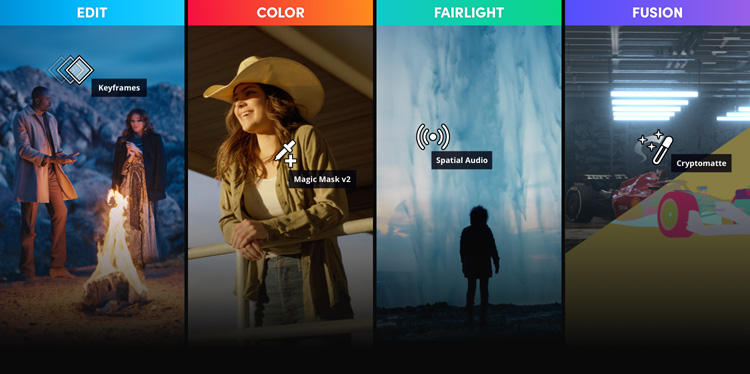
Four panels labelled Edit, Color, Fairlight and Fusion, each showing a film still with a DaVinci Resolve tool name over it
tools
Blackmagic Design

DaVinci Resolve 21 to 21.1.2: Photo page, AI tools and assistant hooks

Blackmagic's notes on Resolve 21 and its two follow-ups. Version 21 added a Photo page, so stills get the same node grading as video, plus AI tools for finding faces and spoken lines, reading slates and moving focus after the shot. 21.1 arrived on 8 Sep with hooks for AI assistants and better multicam keys, and 21.1.2 followed on 27 Oct with smaller fixes. The base app is still a free download.

davinci-resolve blackmagic editing color photo mcp
Read source ↗

Our note, dated and linked →

R
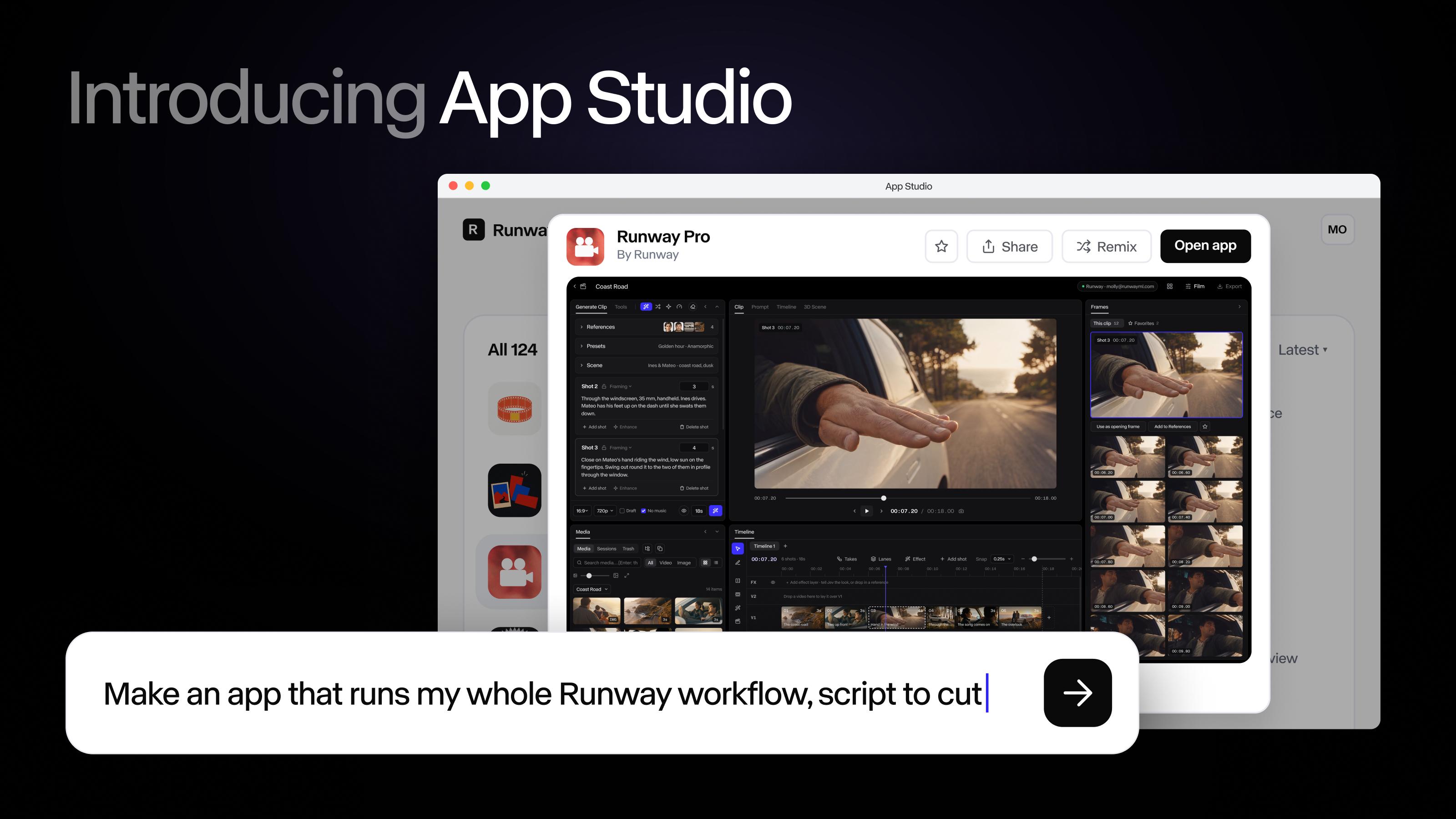
Runway App Studio window with a prompt bar reading “Make an app that runs my whole Runway workflow, script to cut”
tools
Runway

Runway App Studio: describe a tool, get a working app

Runway's post (26 Oct 2026): App Studio turns a plain-language description into a small app inside Runway, with its own controls, using Runway's own models for stills, video and sound, plus your Brand Kits and Workflows. It ships with starter apps such as Character Swap and AutoComp. It's on every paid plan, and building, running and hosting all spend credits.

runway app-studio apps brand-kits workflows video
Read source ↗

Our note, dated and linked →

N
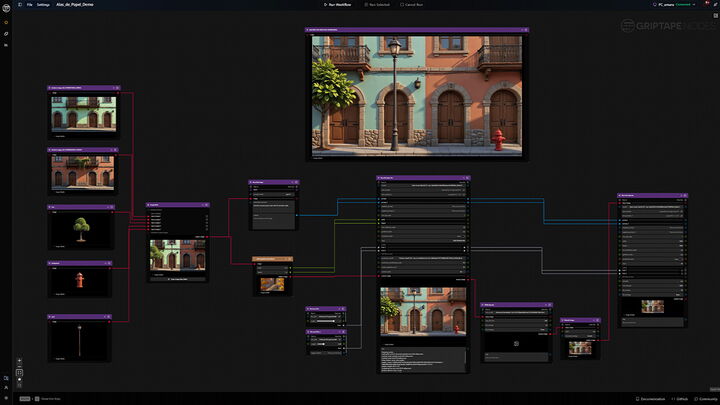
A Griptape Nodes workflow on a dark canvas, with image inputs of a tree, a fire hydrant and a lamp post wired into a generated street of shuttered houses
tools
Foundry

Nuke 18.0 open beta: Griptape AI workflows inside the node graph

Foundry put Nuke 18.0 into open beta on 26 Oct 2026. The headline is a Griptape node, so an AI workflow built in Griptape, Foundry's node-based tool for chaining image, video and 3D models, now runs from inside the Nuke node graph instead of in a separate app. The beta also detects cut points in a reference QuickTime and gives more control over Gaussian splats. Foundry has reset its free trials, so anyone can try Nuke and the beta for 30 days.

nuke foundry griptape compositing vfx beta
Read source ↗

Our note, dated and linked →

K
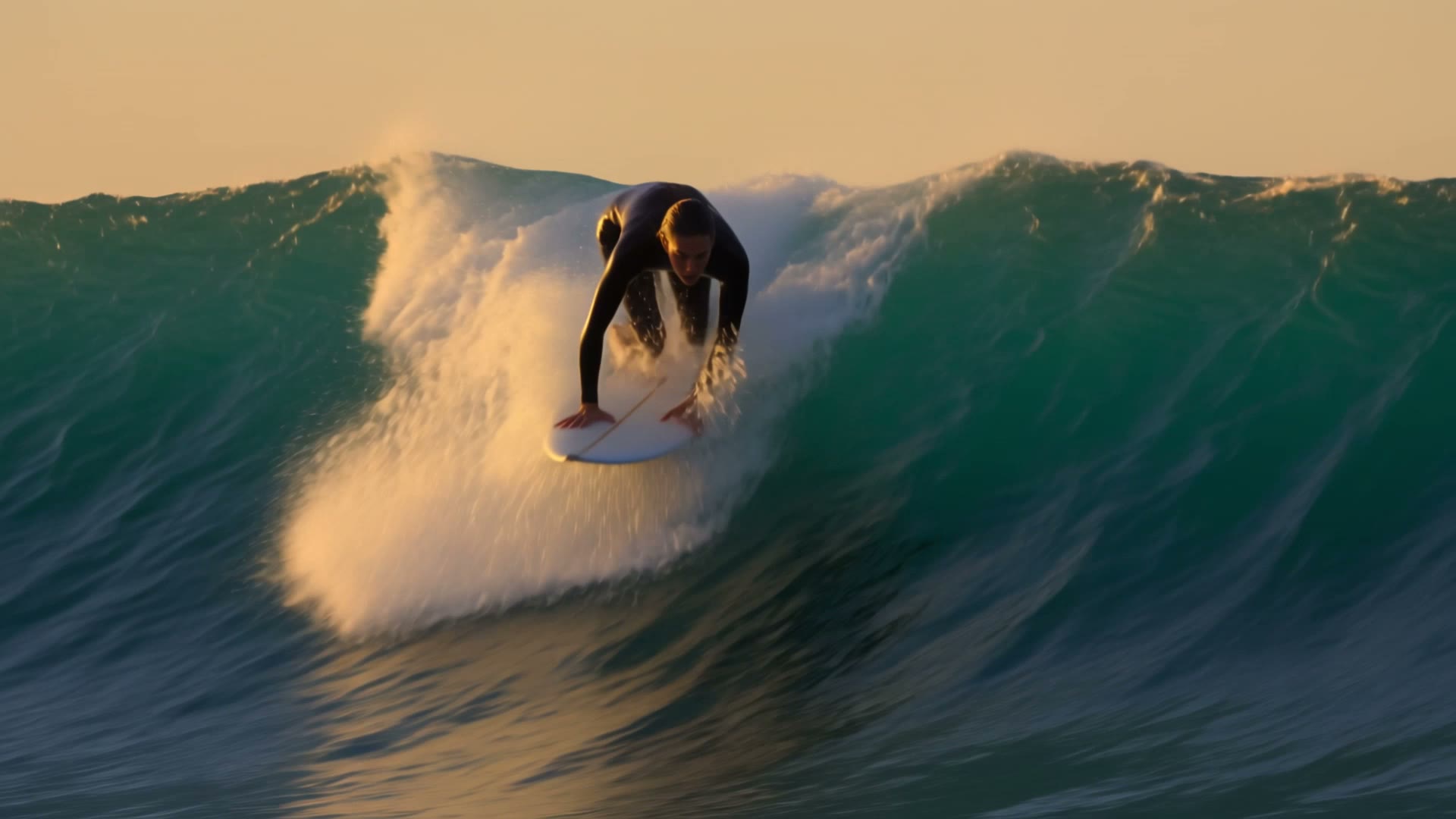
A surfer riding down the face of a large green wave at golden hour
tools
Krea

Krea adds Kling 4.0 to Krea Video, up to 30 seconds

Krea's changelog (26 Oct 2026) adds Kling 4.0 to Krea Video, next to Kling 3.0 and 2.5. On Krea it makes clips between 3 and 30 seconds long at 720p or 1080p, starting from a prompt, a first frame, a first and last frame, or references you tag in the prompt. Krea's FAQ says paid plans carry a commercial licence for generated video.

krea kling kling-4 references host-app video
Read source ↗

Our note, dated and linked →

M
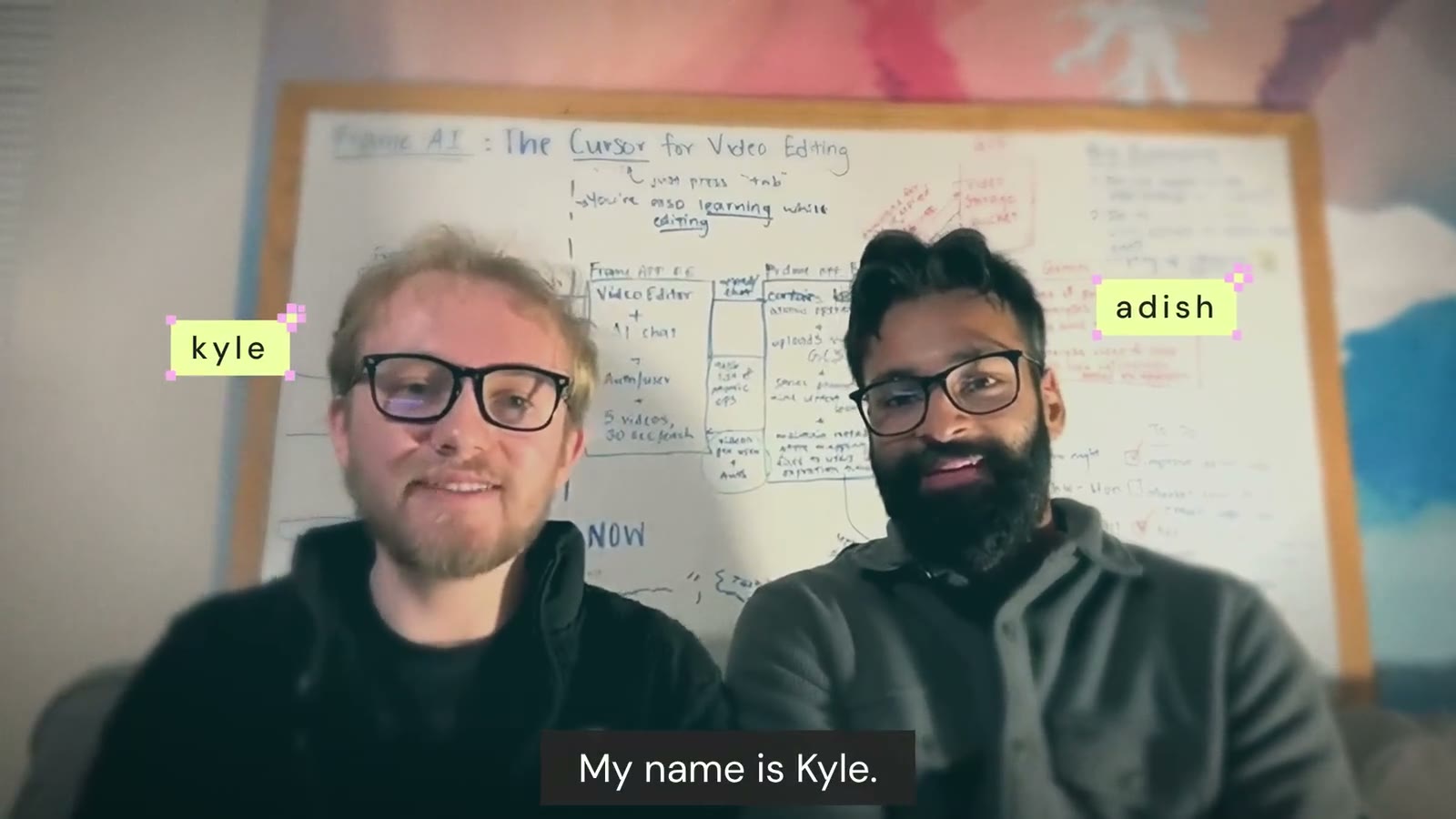
Two men in glasses sitting in front of a whiteboard, with name tags reading Kyle and Adish and the caption “My name is Kyle.”
tools
Mosaic

Motion by Mosaic: an editing agent you can finish in Resolve

Mosaic's post (20 Oct 2026): Motion is an editing agent that works on your own footage or makes new material, handling cuts, motion graphics, grading and audio sync, and it can copy the pacing and type of a reference video. The project stays editable, in Motion's own timeline or in Premiere Pro, After Effects or DaVinci Resolve.

mosaic editing agent premiere resolve video
Read source ↗

Our note, dated and linked →

P
Two hands drawing with brushes, one painting the OpenAI logo and the other the Pika wordmark, with a cross between them
tools
Pika

Pika now runs inside ChatGPT, timeline included

Official Pika post (16 Oct 2026): a ChatGPT plugin brings Pika's 40+ apps and 100+ models into ChatGPT on desktop and web, with inline tools and a side-panel studio. The bit that matters for a cut is the timeline: you can adjust timing, regenerate single clips, add transitions and score sound to picture by asking, and everything saves back to your Pika library. Handy for briefs and rough assemblies. Check credit costs before you batch anything.

pika chatgpt plugin editing timeline video
Read source ↗

Our note, dated and linked →

4 notes