
Tools · News
Runway plugin lands in DaVinci Resolve
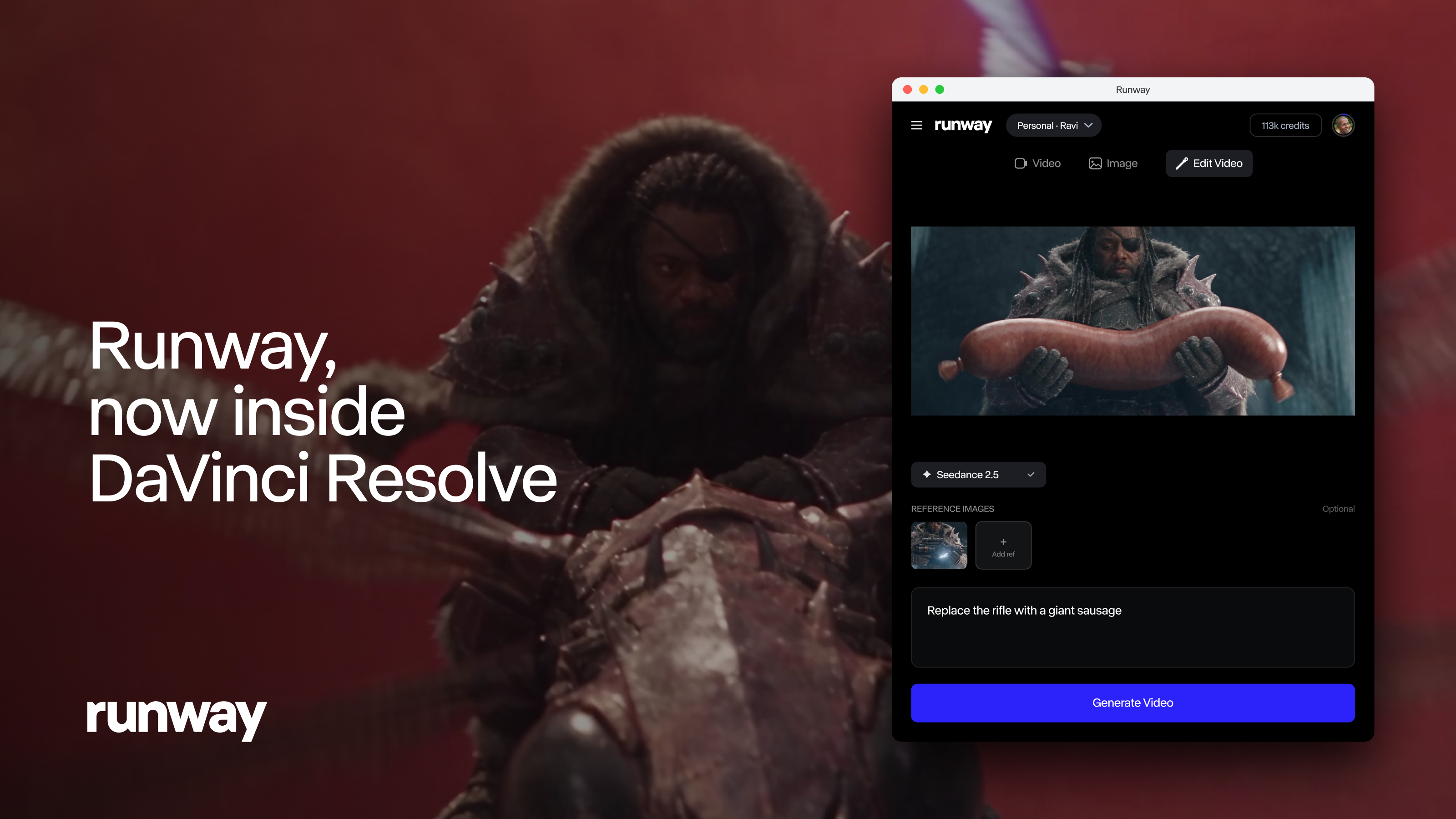
Runway's post (23 Sep 2026): a free plugin for DaVinci Resolve Studio 19 and later, on Mac and Windows, lets you generate and restyle shots from a panel inside Resolve. Results go into the Media Pool and onto the timeline. Generating needs a paid Runway plan and uses its credits.
What changed
Until now a Runway shot meant a round trip: out of Resolve, into a browser, back down and into the Media Pool again. The plugin puts a Runway panel inside Resolve Studio instead. You prompt for new images or video, watch them finish in a feed and import with a click. The Edit Studio side works on footage you've already got. Sit the playhead over a shot, or set in and out points, and the plugin exports just that section. You restyle anchor frames, or set as many as five keyframes, and Aleph 2.0 renders the clip again at the same length as the source. There's a side-by-side view of old and new, and the new version is placed on the track above your original.
Who it's for
Resolve Studio users on version 19 or newer who already pay for Runway. It won't run in the free version of Resolve. The plugin itself costs nothing on Mac or Windows, but generating needs a paid Runway plan and uses your existing credits. After you log in you can see your workspaces and credit balance, and what a job will cost before you start it, and everything you make also turns up in your Runway library.
What it means for a cut
Keeping the same duration is the important bit. A restyled shot sits over the original without retiming, so your edit points and sync stay where they were, and the source is still underneath if you change your mind. It's good for trying a look on a few shots or a pickup, less so for a whole timeline, since every pass costs credits. Runway doesn't say what resolution, codec or frame rate comes back, so check the clip matches your timeline settings before you commit. Our earlier note pointed to Runway Workflows for chaining steps; this post doesn't mention that, so we've dropped it.
Tags: runway, davinci-resolve, blackmagic, timeline, plugin
Related notes
- Runway: our model notes Model notes
- DaVinci Resolve 21 to 21.1.2: Photo page, AI tools and assistant hooks Blackmagic Design, 27 Oct 2026
- Runway App Studio: describe a tool, get a working app Runway, 26 Oct 2026
- Motion by Mosaic: an editing agent you can finish in Resolve Mosaic, 20 Oct 2026
Our note credits Runway and links to the original; we do not republish the piece. More from September 2026, or the latest on News.