
Music · News
Suno Bridge brings Suno's music models into Ableton Live 12 on a Mac
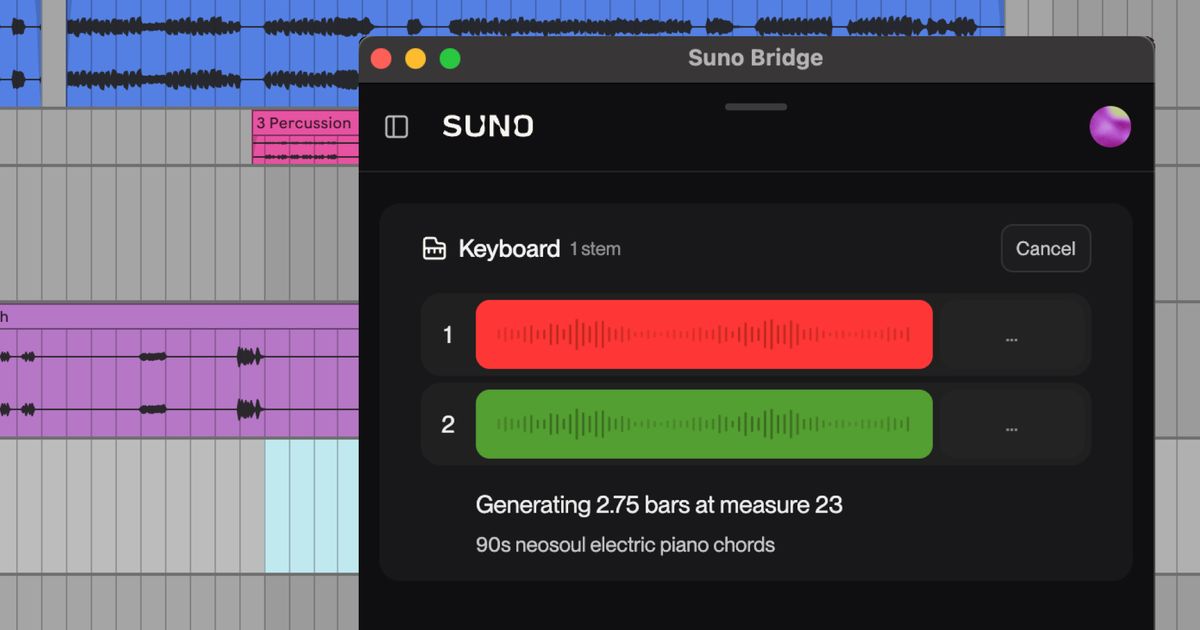
Suno released Suno Bridge on 13 Nov 2026, a standalone Mac app that runs alongside Ableton Live 12 and brings Suno's music models into your session. You set a window with Ableton's loop markers, type a prompt, and Bridge generates new instrument or vocal parts that Suno says fit the tempo, key, harmony and groove of the track, then places them on your timeline. To read that context, Bridge uploads your session files to Suno. It launches in beta, only for Ableton Live 12 on a Mac, and is included with Suno's Premier subscription. Suno says more operating systems and DAWs will follow. If you sketch your own scores in Ableton, it saves generating parts in Suno's app and dragging them in and lining them up by hand.
What changed
Suno parts used to be made in Suno's own app and dragged into a DAW by hand. Bridge generates them from inside an Ableton Live 12 session, fitted to its tempo, key, harmony and groove, and puts them straight on the timeline.
Who it's for
Filmmakers and editors who write or sketch their own scores in Ableton Live on a Mac and want quick instrument or vocal ideas that sit in the track.
What it means for a cut
Beta, Mac and Ableton Live 12 only, and Premier plan only. Syncing uploads your session files to Suno, so think twice before using it on client music under NDA, and check Suno's terms before delivering generated parts in paid work. Credit Suno; link only.
Tags: suno, suno-bridge, ableton-live, daw, scoring, mac
Related notes
- Suno: our model notes Model notes
- Suno Visuals makes music-to-video clips of up to 15 seconds from your songs Suno, 17 Nov 2026
Our note credits Suno and links to the original; we do not republish the piece. More from November 2026, or the latest on News.